To add your business to Google Maps in Bangladesh, create a free Google Business Profile at business.google.com, enter your business details and location, then verify that you own the business. Once verified, your business can appear in Google Maps and in the map results at the top of Google Search. The whole setup takes about 20 minutes, plus however long verification takes.
Before you start
Have these ready:
- A Google account you will keep using for the business (a Gmail address works)
- Your exact business name as it appears on your signboard or trade licence
- Your full address, or the areas you serve if customers don’t come to you
- A phone number customers can call
- Your website, if you have one
- A few good photos of your shop, office, team or work
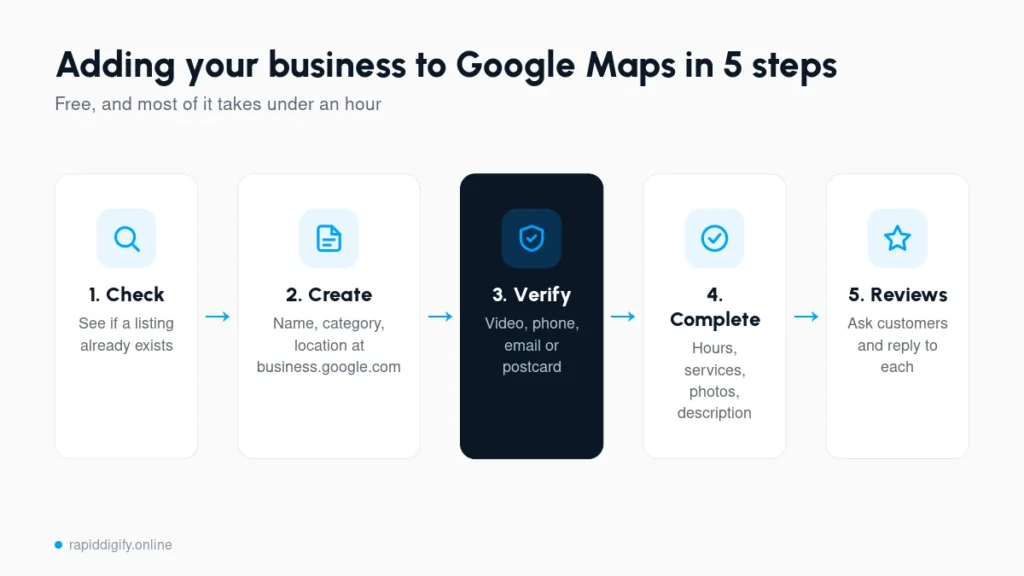
Step 1: Check if your business is already on Google
Search your business name and area on Google Maps. Sometimes a listing already exists, created by Google or a customer. If you find it, choose the option to claim or manage it instead of creating a duplicate. Duplicate listings split your reviews and confuse Google.
Step 2: Create your profile
- Go to business.google.com and sign in.
- Enter your business name.
- Choose your business category. Pick the most specific one, such as “Dental clinic” instead of “Health”. You can add more categories later.
- Say whether customers visit your location. If yes, add your address and drop the pin in the exact spot on the map. In Dhaka, road numbers and blocks matter, so zoom in and place the pin carefully.
- If you visit customers instead, add your service areas, such as Dhaka, Gulshan or Mirpur.
- Add your phone number and website.
Step 3: Verify your business
Google needs to confirm the business is real and that you run it. It will show you the verification methods available for your listing. In Bangladesh this is often a short video recording, though some businesses get phone, SMS or email options. For video verification, record one continuous clip that shows: Google lists the current options on its verification help page.
- Your signboard or the outside of the location, with nearby streets or landmarks
- Inside the business, showing equipment, products or your workspace
- Proof you manage it, such as unlocking the door or showing staff-only areas
Verification can take anywhere from a few minutes to a couple of weeks. Don’t change your business name or address while it is under review.
Step 4: Complete your profile
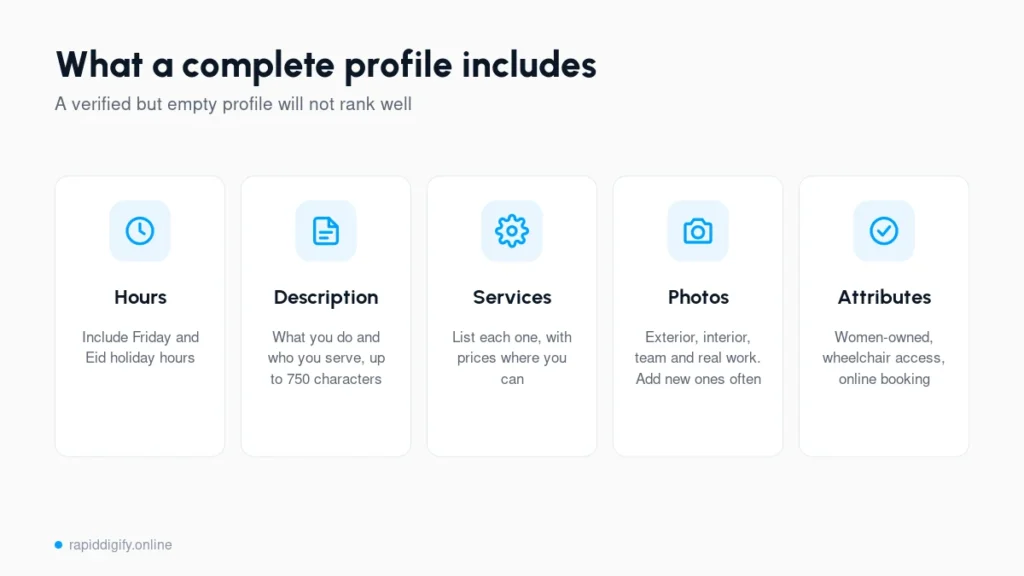
A verified but empty profile won’t rank well. Fill in:
- Hours: include Friday and special hours for Eid and other holidays
- Description: a plain explanation of what you do and who you serve, up to 750 characters
- Services or products: list each one, with prices where you can
- Photos: exterior, interior, team and work examples. Add new ones regularly.
- Attributes: things like women-owned, wheelchair access or online appointments
Step 5: Start collecting reviews
Copy your review link from the profile and send it to happy customers by WhatsApp or SMS. Reply to every review. Reviews are one of the strongest signals for ranking in Google Maps.
How to claim a business that is already on Google Maps
If you searched for your business in Step 1 and found it already listed, you don't need to create a new profile. Someone (a customer, an old employee or Google itself) added it before you. Claim it instead:
- Open the listing on Google Maps and tap Claim this business or Own this business?
- Choose Manage now and sign in with the Google account you will use for the business.
- Pick a verification method (phone, SMS, email, video or postcard) and complete it.
- If someone else already owns the profile, Google lets you request access. The current owner gets an email and has a few days to respond. If they don't, you can often claim it yourself.
Never create a second profile for the same business to get around this. Duplicate listings split your reviews and can get both profiles suspended.
How to add your business to Google Maps from your phone
- Open the Google Maps app and make sure you are signed in.
- Tap your profile picture, then Your Business Profile or Add your business.
- Enter the business name, category, location and contact details.
- Drop the pin exactly on your entrance. In Dhaka, building numbers and road names are often unclear, so zoom in and check the pin against the street view.
- Finish verification, then add photos straight from your phone camera.
The steps are the same on Android and iPhone. You can also do everything on a laptop at business.google.com, which is easier for filling in long descriptions and service lists.
How long until your business shows on Google Maps?
| Stage | Typical time |
|---|---|
| Creating the profile | About 20 minutes |
| Verification by phone, SMS, email or video | Minutes to a few days |
| Verification by postcard | 2 to 4 weeks (postcards can be slow in Bangladesh, so pick another method if offered) |
| Showing on Maps after verification | Usually within a few days |
| Ranking in the top 3 map results | Weeks to months, depending on competition, reviews and your website |
What to do if verification fails
- The code never arrives: wait the full time Google states, check spam, then request a new code. Requesting several codes at once cancels the earlier ones.
- Video verification is rejected: record in one continuous take showing the street or landmark, your signboard, the entrance and proof you run the business (equipment, stock or a trade licence).
- Profile suspended after verification: usually caused by keywords in the business name, a virtual office address or a duplicate listing. Fix the cause, then submit an appeal from your profile.
- No verification option at all: Google sometimes holds new profiles for review. Complete every section of the profile and check back in a few days.
Common mistakes to avoid
- Adding keywords to your business name, which can get the profile suspended
- Using a virtual office or someone else’s address
- Creating multiple listings for the same business
- Using a different phone number on your website and Facebook page
- Setting it up once and never posting, updating photos or replying to reviews
What next?
Getting on Google Maps is the first step. Ranking at the top of the map results takes ongoing work on reviews, content and local mentions. Our local SEO guide for Dhaka covers the next steps, or see our local SEO services if you would like help.
Want this done for you?
Request a free audit and I will check your Google Business Profile, local rankings and website, then send the first fixes I would make.
Frequently Asked Questions
Is Google Business Profile free in Bangladesh?
Yes. Creating and managing a Google Business Profile is free. Be careful of anyone charging only to create a basic listing.
How do I verify my business on Google in Bangladesh?
Google shows the methods available for your listing after you create it. In Bangladesh this is often a short video showing your location, signboard and proof that you manage the business.
Can I add a home-based business to Google Maps?
Yes. Set it up as a service-area business and hide your home address so only your service areas are shown.
How do I claim my business on Google Maps?
Find your business on Google Maps, tap Claim this business or Own this business, sign in and complete verification. If someone else already owns the profile, use Request access and Google will contact the current owner.
How long does it take for a business to show up on Google Maps?
Usually a few days after verification. Verification itself can take minutes (phone, SMS, email, video) or a few weeks (postcard).
Can I add a business to Google Maps without a shop address?
Yes. Service businesses that visit customers can hide their address and list the areas they serve instead. You still need a real address for verification, but it won't be shown publicly.
Why is my business not showing on Google Maps?
The most common reasons are that the profile is not verified yet, it was suspended, there is a duplicate listing, or you are searching from far away. Search the exact business name first; if it appears, the profile is live and needs better optimization to rank for wider searches.